
Practical & Affordable Structural Analysis
Welcome to XStrudes, your new ally in structural analysis.
XStrudes?
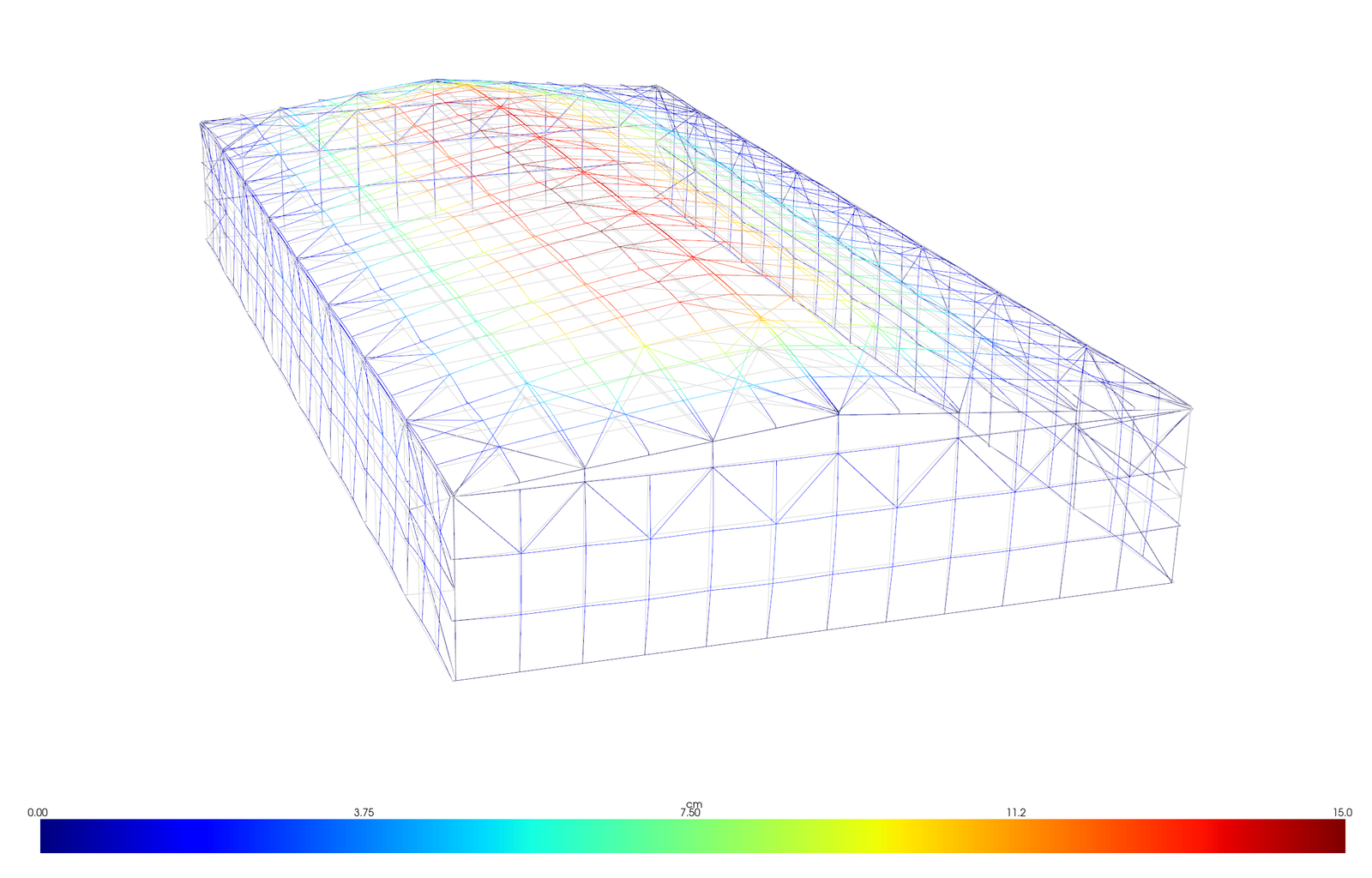
XStrudes was developed with a clear purpose: to offer an accessible and efficient structural analysis solution for professionals, students, and researchers working with small and medium-sized structures. We understand that the current market often presents options that are either excessively expensive for basic needs or free but with significant limitations. XStrudes emerges to fill this gap, providing essential functionalities with an excellent cost-benefit.
How XStrudes Works?

CAD Modeling: Structure Geometry
To best utilize the resources available within XStrudes, it is recommended that the workflow begins with a wireframe model of the structure in CAD software that supports exporting the model as a ‘.dxf’ file.
Within the modeling process, it is recommended that the structure’s members (bars) be grouped by ‘layers’ for easier identification throughout the workflow.
After completing the structural design within the CAD software and exporting it to a ‘.dxf’ file, you can then export the file’s data to a spreadsheet using the ‘Convert DXF to XLSX’ tool, which brings us to the next step.
Applying Loads and Model Setup
With the data obtained from the tool mentioned in the previous item, it is possible to populate the spreadsheet that XStrudes uses as a basis to process all information related to the structure.
Within the base spreadsheet, the following data must be provided:
Supports
Loadings
Combinations
Materials
Geometric properties of cross-sections
Hinges (releases) and bar rotations
Even before filling in all this information, with just the previously obtained data, it is already possible to load and visualize the structural model within XStrudes, which facilitates the completion of the base spreadsheet.
STRUCTURAL ANALYSIS
Once the base spreadsheet is populated with all the necessary data for the structure to be analyzed, the next step is to load the spreadsheet into XStrudes. Upon loading the spreadsheet data, it will be possible to:
Visualize the supports assigned to the nodes
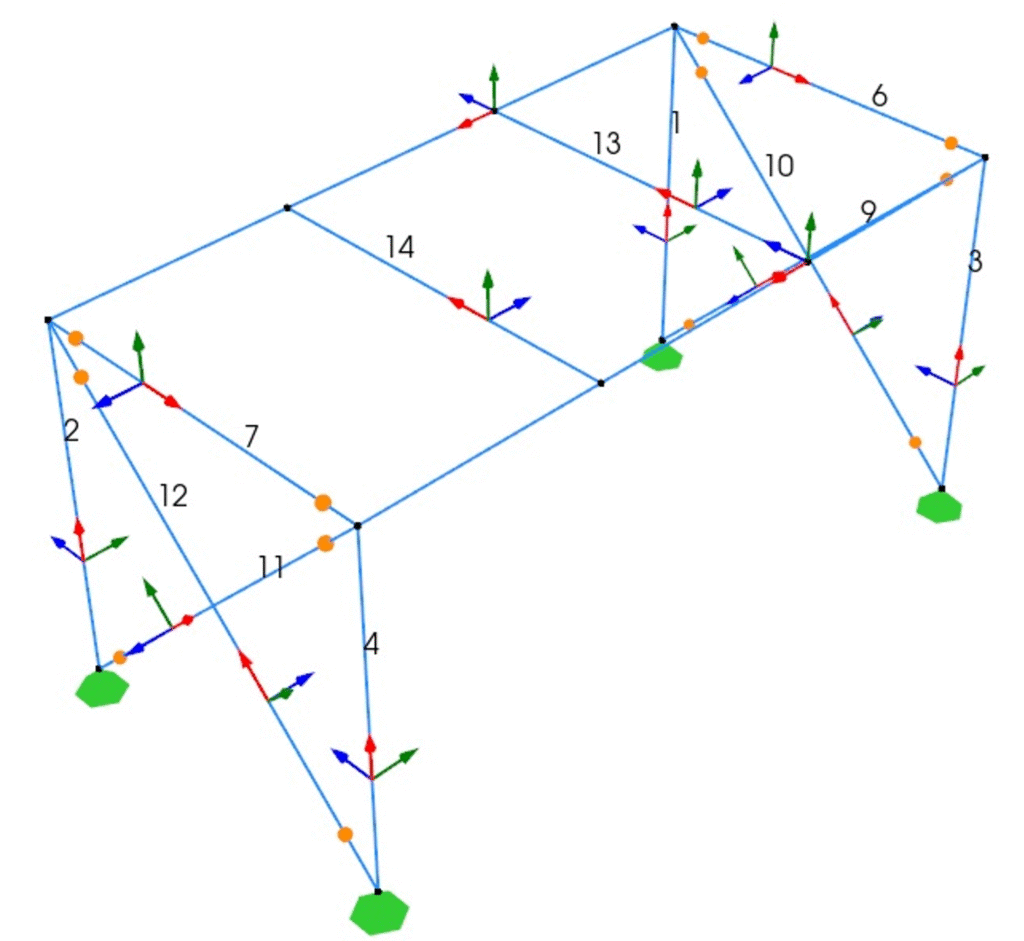
Visualize the hinges (releases) assigned to the members
Visualize the local axes of the members
Visualize the loadings applied to nodes and members
Perform the structural analysis
Visualize the deformed structure for each defined combination
Export the results to a spreadsheet
XStrudes is a software designed to perform analysis of small and medium-sized structures AND deliver all the necessary information for adequate design
Clear and Intuitive Visualization
Members with hinge (release) assignments or local axis rotation can be easily identified through the model visualization tools, providing the user with greater confidence in the data entered into the spreadsheet.
Easy Validation
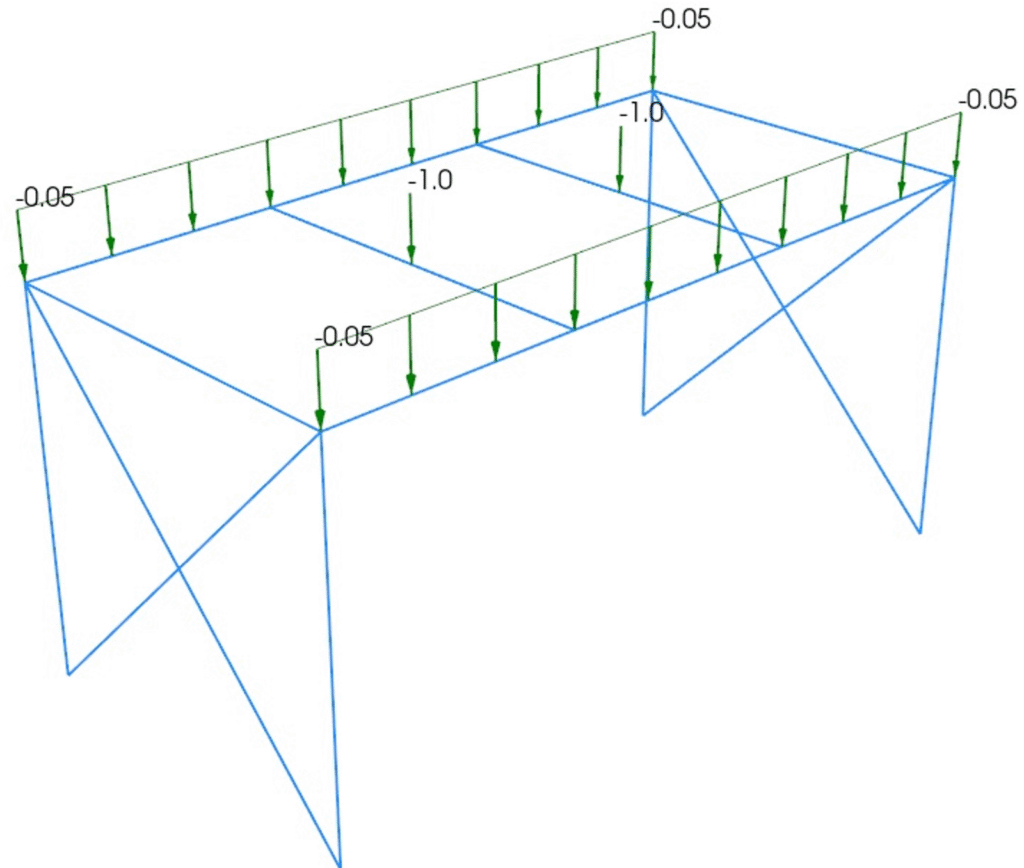
Due to the varied forms of application, inserting loads into the structural model can occasionally lead to confusion regarding assignments related to global or local axes. With XStrudes, it is possible to clearly visualize which node or member the load is being applied to, along with its respective direction and sense.
What XStrudes Offers?
XStrudes generates a 3D graphical representation of the structure in its original configuration, prior to load application and deformation. This facilitates data input validation, allowing the user to verify the geometry, connectivity, and orientation of elements.
XStrudes allows users to model and analyze structures in two dimensions (planar, such as 2D trusses and frames) and three dimensions (spatial, such as 3D trusses and frames). This offers versatility for a wide range of projects, ensuring the software can handle the real-world complexity of structures found in engineering.
XStrudes graphically displays all loadings (nodal, concentrated, and distributed) on the 3D model of the structure. This assists the user in confirming that all loads have been applied correctly and in their desired positions.
XStrudes allows the user to define different load cases and then combine them linearly to simulate more complex and extreme scenarios, in accordance with design codes. This is a fundamental feature for structural safety, as it considers the simultaneous action of different types of loads to determine the most critical design conditions
XStrudes provides a tool that reads drawing files in .dxf format (generated by CAD software) and automatically extracts geometric information, transforming it into an .xlsx spreadsheet compatible with XStrudes. This drastically reduces the time and effort involved in manual geometry input for complex structures, minimizing errors and accelerating the modeling process.
XStrudes performs structural analysis under the premise that the relationship between loads and deformations is linear (Hooke’s Law) and that deformations are small, not significantly altering the structure’s geometry. This forms the basis of most structural analyses for small and medium-sized structures, being efficient and suitable for the majority of practical cases.
XStrudes also allows for the consideration of geometric non-linearity (large deformations that alter the geometry and, consequently, the distribution of forces). This is crucial for more advanced analyses of slender structures, cables, or elements operating near their strength limit, providing a more precise understanding of the structure’s real behavior.
XStrudes displays the configuration of the structure after load application and deformation, based on an exaggerated scale for better visualization. This allows for an intuitive understanding of the structure’s behavior under load, identifying areas of larger displacements or unexpected movements.
XStrudes allows all results calculated by the analysis (nodal displacements, support reactions, internal member forces, etc.) to be saved in an Excel file. This facilitates data post-processing, the creation of customized reports, integration with design spreadsheets, and project documentation.
Choose your subscription plan
SEMIANNUAL
- Subscription plan that guarantees access to XStrudes for 6 months.
US$ 19,90
ANNUAL
- Subscription plan that guarantees access to XStrudes for 12 months.
US$ 34,90
me
As a civil engineer, with a postgraduate degree in steel structures and a passionate enthusiast of structural engineering, I have always dedicated myself to studies related to the field, from conception to the design of structures. For several years, I searched for affordable software alternatives that met my daily demands, but unfortunately, I couldn’t find any. In my journey as a structural engineer, while using tools like Excel and Python, I became fascinated with the possibilities they offered – the former for its unparalleled ease in creating calculation routines, and the latter, well, I believe the only limit is imagination. After extensive searching, testing, and countless quotation requests, I finally decided to attempt developing my own structural analysis software (I didn’t do it alone, though!). Now, a little over a year later, I am thrilled to share with you the first functional version of XStrudes. Yes, the first version; I still have many plans to implement in this tool.
Nice to meet you, I am Rudolf

Do you have any questions?
The software performs structural analysis calculations, but does not carry out compliance or stability checks (design). It is the responsibility of the engineer in charge to evaluate and validate the results obtained.
The use of the software and the interpretation of the results are the sole responsibility of the user. The developer is not responsible for the final project.
Although it can process larger structures, the software is optimized for small and medium-sized projects. Highly complex analyses may cause slowdowns or crashes, especially during graphics rendering.
XStrudes is independently developed software. Because it is not licensed by Microsoft, some antivirus programs may identify it as a “false positive” during download. This is expected behavior for new executable files.